
|
Autumn screensaver |
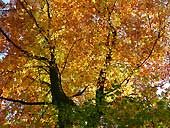
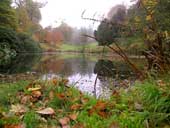
The four images below have been incorporated into an autumn desktop screensaver for PC Windows computers. Each image will gradually fade into the next. This screensaver has been tested on Windows 98, 98SE, ME, XP and Vista. Sorry, not Mac compatible.
Now available in 4 sizes - 800x600, 1024x768, 1280x1024 and 1680x1050
 |
 |
 |
 |
Hardcastle Crags |
Knaresborough |
Powis Castle Gardens |
Triscombe Stone |
Download instructions
Download the screensaver file to your computer by clicking on one of the underlined autumn screen saver links below. When prompted choose Save File to save the autumn.exe file to your hard drive.
Note:- For convenience it's often useful to temporarily Save things to your 'Desktop' then you can easily find them again.
This pop-up window determines which download is the better option for your monitor. Note:- The screensaver will still work on monitors with a higher resolution than the chosen option, but will have a black border outside the defined picture area.
Click on one of the following links to start the download :-
autumn screen
saver 800x600 (1.08MB)
autumn screen saver 1024x768 (1.35MB)
autumn screen
saver 1280x1024 (1.57MB)
autumn screen
saver 1680x1050 (1.83MB)
Double-click on the downloaded autumn file to install it. Follow any on screen prompts, just like you would with any other piece of Windows software.
That's it !
Note - By request these images are now also available as individual desktop wallpapers in sizes
1024x768, 1280x1024 and 1920x1080 (widescreen)
Extra info. + uninstallation details and customization (if required)
After installation you will be given the option of viewing the Read Me text file and / or running the screensaver. A shortcut to the screensaver is also installed on your desktop for instant screensaver activation if required.
If your version of Windows does not automatically select the latest screensaver, just scroll and pick autumn screensaver as the screensaver from the Start - Settings - Control Panel - Display - Screensaver menu. (For XP users the Control Panel can be accessed from the Start menu)
The Read Me file and an Uninstall option are created within the Windows Start - All Progams - autumn screensaver menu, or you can use the Add or Remove Programs feature in the Windows Control Panel. Uninstall will delete all files from the Start Menu and your computer, including the desktop shortcut.
The screensaver can be customized by either right clicking on the desktop and selecting (in XP versions and lower) Properties - Screen Saver - Settings or go to the Windows Control Panel - Display - Screensaver menu. For a full screen image on even larger monitors click on the - Stretch to Screen function in the customizable options menu. Note:- Some deterioration in image quality will be evident if the Stretch mode is used.
| More screensavers | | Seasonal
desktop jigsaws |
| Picture of the Moment
| | Desktop wallpaper page 1
of 2 |